
In this article
Computational thinking is often misunderstood. Most schools associate it with coding classes, computer labs, and screen-based tools. But that is not where it starts.
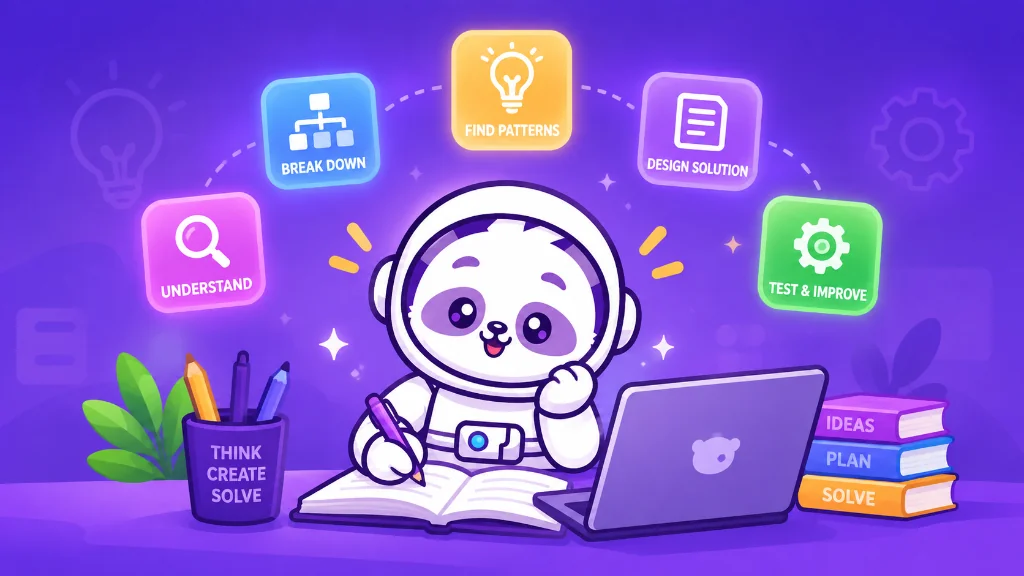
At its core, computational thinking is about:
- Breaking down problems
- Recognizing patterns
- Designing step-by-step solutions
- Testing and improving outcomes
And none of this requires a computer. In fact, some of the most effective computational thinking lessons happen without screens.
This matters even more today, as the Central Board of Secondary Education introduces Computational Thinking and AI into classrooms starting from Class 3. Schools are expected to build these skills through activity-based learning, not just theory.
The challenge is not understanding what computational thinking is. The challenge is: How do you actually teach it in a classroom?
This guide solves that. Below are 5 practical, classroom-ready activities that build computational thinking — without coding, without devices, and without complexity.
Why Screen-Free Computational Thinking Works
Before jumping into activities, one misconception needs to be addressed. Many educators believe: “Students need computers to learn computational thinking.” That is incorrect.
Computational thinking is a mental model, not a technical skill. Screen-free learning helps because:
- It reduces distraction
- It focuses on logic, not tools
- It builds foundational thinking first
Research and classroom practices consistently show that “unplugged” activities (offline, hands-on learning) are highly effective in teaching core computing concepts. This aligns directly with CBSE’s approach: activity-based learning, real-world problem solving, and concept-first education.
5 Screen-Free Activities
Activity 1: The PB&J Algorithm Challenge
Concept: Algorithmic Thinking
Objective: Teach students how to create precise, step-by-step instructions.
How It Works:
- Ask students: "Write instructions to make a peanut butter and jelly sandwich."
- Select one student (or yourself) as the "robot."
- Follow their instructions exactly as written.
- Intentionally misinterpret vague instructions.
If they say "put peanut butter on bread" → Place the entire jar on the bread.
If they say "open the bread" → Tear the packet randomly.
What Students Learn: Instructions must be clear, specific, and sequential. Computers do not “assume.” They follow logic exactly. This activity is widely used because it clearly demonstrates how computers interpret instructions literally.
Classroom Outcome: Students begin to understand what an algorithm is, why precision matters, and how errors happen.
Extension: Ask students to rewrite their algorithm, optimize steps, and compare different approaches.
Activity 2: The Human Robot Navigation Game
Concept: Algorithms + Debugging
Objective: Teach students how to design, test, and fix instructions.
How It Works:
- Place a "treasure" in the classroom.
- Create simple command cards: Move forward, Turn left, Turn right.
- One student = Programmer, One student = Robot.
- The programmer writes a sequence of commands. The robot executes them exactly.
If the robot hits a desk, moves incorrectly, or misses the target, the program has a bug. Students must identify the error, fix the sequence, and test again.
What Students Learn: Algorithms are tested, not assumed. Mistakes are part of the process, and debugging is essential. This mirrors real-world programming, where instructions are refined through testing and correction.
Classroom Outcome: Students develop logical sequencing, problem-solving resilience, and iterative thinking.
Activity 3: Jigsaw Puzzle Decomposition
Concept: Decomposition + Abstraction
Objective: Teach students how to break down complex problems.
How It Works: Give each group a jigsaw puzzle and ask them to solve it. Observe how they solve it, then ask: “What steps did you follow?”
Finding edge pieces first, grouping colors, breaking the puzzle into sections.
Next Step: Ask students to write a general strategy and create instructions for solving any puzzle.
What Students Learn: Large problems become manageable when broken down. Strategies can be generalized, and not all details are equally important.
Classroom Outcome: Students build analytical thinking, strategy design, and abstraction skills.
Activity 4: Code a Story (Comic Sequencing)
Concept: Sequencing + Abstraction
Objective: Teach logical ordering and simplification.
How It Works: Take a comic strip or story, cut it into separate pieces, and ask students to arrange it in the correct order and explain their reasoning.
Ask them to reduce the story into: Beginning, Middle, End.
What Students Learn: Order matters. Logic creates meaning. Complex ideas can be simplified.
Classroom Outcome: Students understand flow of logic, sequence dependency, and abstraction in storytelling.
Activity 5: Pattern Hunt and Creation
Concept: Pattern Recognition
Objective: Train students to identify and create patterns.
How It Works: Ask students to find patterns in classroom objects, nature, language, or music. Then ask them to create their own patterns using colors, shapes, or objects.
One creates a pattern. The other predicts the next step.
What Students Learn: Patterns exist everywhere. Recognizing patterns simplifies problems. Prediction is based on logic.
Classroom Outcome: Students develop observation skills, predictive thinking, and analytical reasoning.
What These Activities Actually Build
Each activity is simple. But together, they build the full foundation of computational thinking:
| Skill | Activity |
|---|---|
| Algorithm Design | PB&J + Human Robot |
| Debugging | Human Robot |
| Decomposition | Jigsaw Puzzle |
| Abstraction | Puzzle + Story |
| Pattern Recognition | Pattern Hunt |
This is exactly what CBSE expects: Thinking over memorisation, Application over theory, and Skills over syllabus.
The Real Problem: Teachers Don’t Have Time to Design This
While these activities are powerful, there is a challenge. Most teachers:
- Don’t have time to design activities
- Don’t have structured lesson plans
- Don’t know how to scale this across classes
This leads to one-off activities, inconsistent learning, no measurable outcomes, and eventually, no real impact. This gap is real. And this is where structured systems matter.
Where Codju Fits In
Codju is built to solve this exact problem. Instead of teachers designing everything manually, Codju provides 200+ structured computational thinking activities, ready-to-use lesson plans, classroom-friendly frameworks, and alignment with the CBSE curriculum.
Codju provides a full curriculum with progressive learning and clear outcomes.
Activities are time-bound, practical, easy to execute, and require no complex setup.
Everything is ready. Teachers don't need to learn coding or spend extra hours preparing.
From Class 3 foundational thinking to Class 8 advanced logic, Codju covers the full journey.
What Schools Should Do Next
If you are implementing computational thinking in 2026, the approach should be:
- Start with screen-free activities
- Build foundational thinking
- Introduce structured frameworks
- Scale across classrooms
You can explore a structured approach here: 👉 Explore Computational Thinking
Or see how it works in action: 👉 https://ct-preview.codju.com/
Final Thought
Computational thinking is not about teaching students to code. It is about teaching them how to think clearly, how to solve problems, and how to approach complexity.
And the best part is: You don’t need a computer to start.
You need the right activities, the right structure, and the right approach. Schools that understand this early will not just comply with the new curriculum. They will build students who think better, solve better, and learn better. And that is the real goal of education.
FAQ
Frequently Asked Questions
What is Computational Thinking and why is CBSE introducing it?
Computational Thinking (CT) is a set of problem-solving skills — decomposition, pattern recognition, abstraction, and algorithmic thinking — that mirror the logic behind modern AI systems. CBSE is introducing CT from Classes 3 to 8 as part of its alignment with NEP 2020 and NCF 2023, shifting from rote memorisation toward structured, logical reasoning and real-world problem solving.
Is Computational Thinking the same as coding?
No. Computational Thinking is not about writing code. It is a way of thinking — breaking down problems, finding patterns, and designing step-by-step solutions. Coding is one application of CT, but CT itself is a transferable skill that applies across mathematics, science, languages, and other subjects.
Which classes are affected by CBSE's new CT and AI curriculum?
The new curriculum covers Classes 3 to 8. For Classes 3–5 (Preparatory Stage), CT is embedded into subjects like Math, EVS, and Language through activity-based learning. For Classes 6–8 (Middle Stage), students are introduced to basic AI concepts, project-based learning, and interdisciplinary CT applications.
What do schools need to do to implement the CBSE CT curriculum in 2026?
Schools must: (1) embed CT across subjects rather than treating it as a standalone period, (2) invest in teacher training through CBSE workshops and certified programs, (3) shift to activity-based classrooms, (4) redesign assessment toward competency-based evaluation, and (5) use structured resources like DIKSHA and purpose-built CT frameworks. Codju's CT curriculum provides a plug-and-play implementation layer for schools.
How does Codju support CBSE's Computational Thinking curriculum?
Codju provides a structured CT curriculum with 200+ ready-to-use activities, all aligned with CBSE's expectations and the NCF 2023 framework. The system is teacher-friendly, activity-first, and designed for real Indian classrooms — removing the biggest barrier for schools: knowing how to actually start.
Is the new CBSE CT curriculum mandatory for all schools?
Yes. CBSE has made Computational Thinking and AI a core part of the curriculum for Classes 3 to 8. It is not an optional add-on. Schools are expected to integrate CT into everyday teaching and move toward competency-based assessment, with 50% of questions targeting applied reasoning rather than memorisation.
Continue Reading
All Computational Thinking articles →
How Schools Can Teach AI Without Teaching Programming
Learn how schools can teach AI without programming through Computational Thinking, data, patterns, logic, ethics and no-code activities for primary and middle school students.

CBSE Computational Thinking Classes 3–8: What Students Learn at Each Stage
Understand the CBSE Computational Thinking and AI curriculum for Classes 3–8 in 2026–27, including class-wise CT skills, AI concepts, activities, projects, assessment and learning outcomes.
What Is Computational Thinking? Complete Guide for Students & Schools
What is Computational Thinking? Learn the four pillars, real-world examples, CT vs coding, classroom activities, AI connections, and how schools can teach computational thinking.
Screen-Free Learning: How to Teach Computational Thinking Without Computers
Computational thinking starts with how students think, not computers. Learn 5 unplugged activities to build foundational logic.
Codju for Schools