In this article
- 01 The 7 Core Computational Thinking Skills
- 02 How to Facilitate These Activities: The Classroom Cycle
- 03 Classes 3–5: Foundational Computational Thinking Activities
- 04 Activity 1: Human Robot Navigation
- 05 Activity 2: The PB&J Algorithm Challenge
- 06 Activity 3: Jigsaw Puzzle Decomposition
- 07 Activity 4: Pattern Hunt with Attribute Blocks
- 08 Activity 5: Debugging Story Time
- 09 Activity 6: Treasure Map Abstraction
- 10 Activity 7: Tangram Geometric Constraints
- 11 Activity 8: “Code” a Comic Strip
- 12 Activity 9: The Missing Shape Grid (Matrix Reasoning)
- 13 Activity 10: Morning Routine Optimization
- 14 Activity 11: Directional Card Mazes
- 15 Activity 12: Symmetry & Floor Tile Tessellation
- 16 Classes 6–8: Advanced Computational Thinking Activities
- 17 Activity 13: Recipe as an Algorithmic Program
- 18 Activity 14: Deconstruct the Word Problem
- 19 Activity 15: Flowchart an Everyday Decision
- 20 Activity 16: History Pattern Finder
- 21 Activity 17: The Classroom Data Challenge
- 22 Activity 18: Mission Patch Abstraction Challenge
- 23 Activity 19: Sorting Card Heuristics
- 24 Activity 20: School AI Ethics Inquest
- 25 Activity 21: Board Game Rule Debugging
- 26 Activity 22: School Event Dependency Matrix
- 27 Activity 23: The Caesar Substitution Cipher
- 28 Activity 24: Scientific Cycle State Machines
- 29 Activity 25: Tangram Tessellation Multi-Constraint Challenge
- 30 Computational Thinking Skill Mapping Matrix
- 31 How to Bridge Unplugged CT Activities Into AI Concepts
- 32 The Teacher’s Role: Facilitating Inquiry Over Answers
- 33 How Codju Empowers Schools with Ready-to-Teach CT & AI
- 34 Frequently Asked Questions
- 35 What are Computational Thinking activities?
- 36 Can Computational Thinking be taught without coding?
- 37 Which activities are best for Classes 3–5?
- 38 Which activities are best for Classes 6–8?
- 39 Are CT activities useful outside the computer lab?
- 40 Authoritative References & Recommended Reading
- 41 Official Frameworks & Standards
- 42 Related Codju Guides
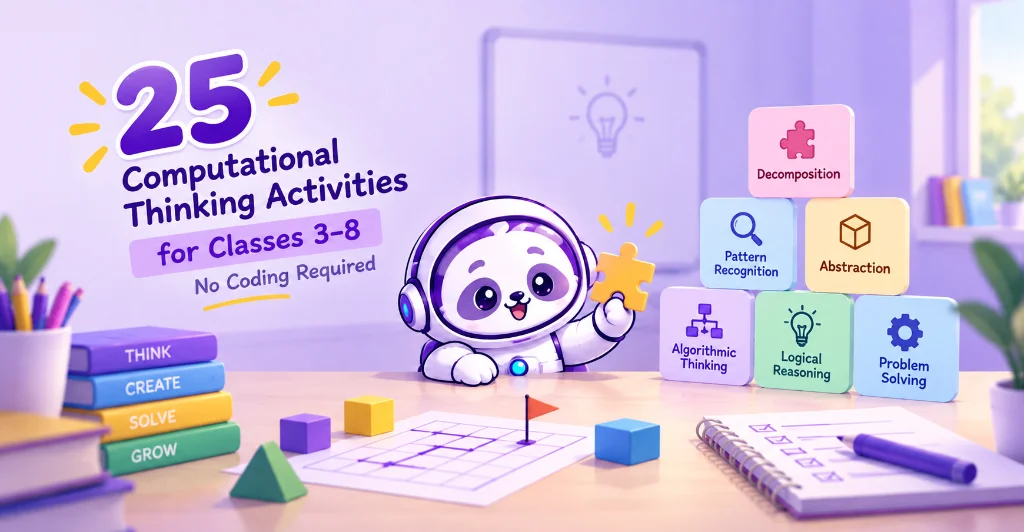
Computational thinking does not begin with a programming language. It begins with how students approach an open-ended problem.
A student who breaks a difficult challenge into smaller pieces, spots a recurring pattern, formulates step-by-step instructions, tests a hypothesis, isolates an error, and improves the outcome is already practicing computational thinking—long before they ever touch a keyboard.
The Central Board of Secondary Education has introduced a mandatory Computational Thinking and Artificial Intelligence (CT & AI) curriculum for Classes III–VIII starting in the 2026–27 academic session. Official CBSE guidance emphasizes that foundational CT is best developed through puzzles, physical games, paper worksheets, and collaborative discussions without screen dependency.
While our earlier primer featured 5 Classroom Activities to Teach Computational Thinking (No Coding Required), this comprehensive handbook serves as a complete 25-activity classroom bank for educators in Classes 3–8.
Every activity below requires zero software setup, zero coding background, minimal preparation, and can be integrated seamlessly into Mathematics, Science, English, Social Science, or regular computer periods.
The 7 Core Computational Thinking Skills
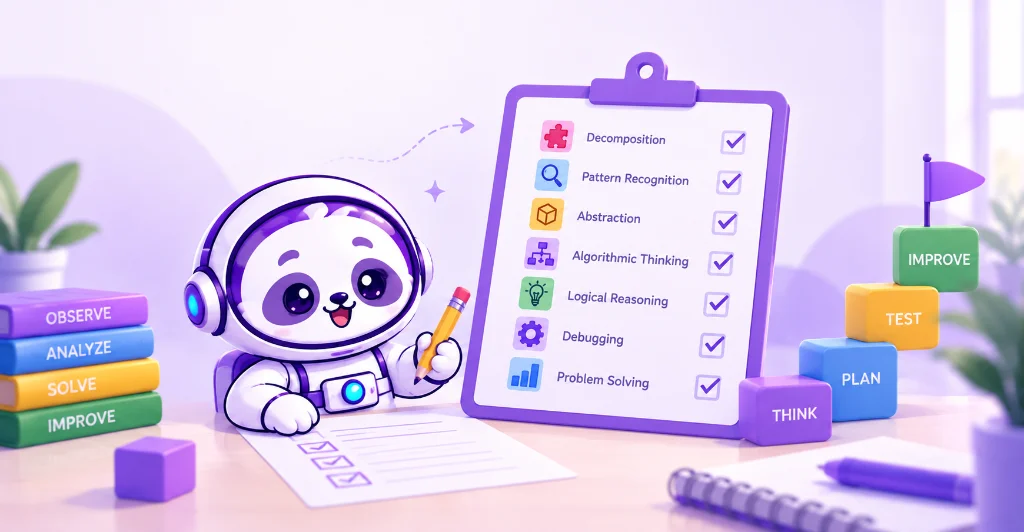
Every activity in this collection targets one or more of the seven fundamental computational thinking capacities:
How to Facilitate These Activities: The Classroom Cycle
You do not need a computer lab to foster computational thinking. Use this straightforward six-stage instructional cycle:
The golden rule for teachers: Never simply accept a correct answer. Always ask:
“What pattern led you to that conclusion? What would happen if we changed Step 2?”
That single question transforms rote activity into active cognitive modeling.
(For an institutional strategy, consult How Schools Can Implement Computational Thinking & AI: A 7-Step Framework.)
Classes 3–5: Foundational Computational Thinking Activities
In the Preparatory Stage (Classes 3–5), students require tangible, visual, and movement-based activities. These 12 activities build foundational logic and spatial reasoning through play and collaborative inquiry.
Activity 1: Human Robot Navigation
- Grade Band: Classes 3–5
- Core Skills: Algorithmic Thinking, Debugging, Spatial Logic
- Objective: Teach students to formulate precise, deterministic instructions without making assumptions.
- Classroom Setup: Create a floor grid or an obstacle course using classroom desks, chalk, tape, or school bags.
- How to Run It:
- Designate Student A as the “Robot” and Student B as the “Programmer.”
- The Programmer must guide the Robot from Point A to Point B using only allowed primitive commands:
MOVE FORWARD [X] STEPSTURN RIGHT 90 DEGREESTURN LEFT 90 DEGREESPAUSE
- The Robot must execute commands literally. If the Programmer says “Walk to the door,” the Robot stays still because “walk” is not an accepted primitive.
- If the Robot runs into an obstacle, pause execution. Have the Programmer identify the flawed step (the “bug”) and rewrite the sequence.
- Learning Outcome: Students learn that computers cannot guess intent; instructions must be unambiguous, sequential, and deterministic.
Activity 2: The PB&J Algorithm Challenge
- Grade Band: Classes 3–5
- Core Skills: Sequencing, Precise Instruction-Writing, Abstraction
- Objective: Reveal how everyday human assumptions cause mechanical procedures to fail.
- Classroom Setup: A loaf of sliced bread, a jar of spread (jam, butter, or peanut butter), and a butter knife (or simulated paper cutouts).
- How to Run It:
- Ask small student teams to write exact instructions for making a sandwich.
- The teacher acts as an ultra-literal robotic computer and executes the steps exactly as written.
- If a student writes “Put the jam on the bread,” the teacher places the unopened jar directly on top of the loaf.
- If a step says “Spread the butter,” the teacher rubs the knife handle against the crust.
- Have teams identify the missing operational steps (e.g., “Open jar,” “Extract 1 tablespoon with knife,” “Spread across top surface of Bread Slice A”).
- Learning Outcome: Students realize that algorithms fail when background assumptions replace explicit operational parameters.
Activity 3: Jigsaw Puzzle Decomposition
- Grade Band: Classes 3–5
- Core Skills: Problem Decomposition, Categorization
- Objective: Train students to systematically break overwhelming tasks into manageable sub-components.
- Classroom Setup: 50-piece to 100-piece jigsaw puzzles, or an unstructured pile of classroom art materials.
- How to Run It:
- Dump the puzzle pieces in front of a group. Instruct them that they are not allowed to begin assembling the picture right away.
- Have students decompose the problem into discrete sorting categories:
- Phase 1: Separate straight-edge border pieces from interior pieces.
- Phase 2: Sort border pieces by four corner markers.
- Phase 3: Group interior pieces by dominant color palettes (e.g., sky blue, grass green).
- Phase 4: Assemble each color island independently before linking them together.
- Learning Outcome: Students discover that decomposing a large problem into structured sub-problems drastically reduces cognitive load and accelerates solution time.
Activity 4: Pattern Hunt with Attribute Blocks
- Grade Band: Classes 3–5
- Core Skills: Pattern Recognition, Rule Formulation
- Objective: Shift students from observing repetitive visual sequences to articulating mathematical rules.
- Classroom Setup: Colored attribute blocks, Lego bricks, beads, or geometric flashcards.
- How to Run It:
- The teacher creates an repeating or growing sequence on the table:
Red Circle ➔ Blue Square ➔ Blue Square ➔ Red Circle ➔ Blue Square ➔ ?
- Students identify the missing piece and state the underlying formula: “One red circle followed by two blue squares.”
- Escalate the challenge by introducing multi-variable patterns (changing shape, color, and size simultaneously).
- Challenge student pairs to design their own hidden rule sequence and challenge another group to deduce it.
- The teacher creates an repeating or growing sequence on the table:
- Learning Outcome: Students develop inductive reasoning by deriving an abstract rule from observed data patterns.
Activity 5: Debugging Story Time
- Grade Band: Classes 3–5
- Core Skills: Debugging, Logical Reasoning, Chronological Sequencing
- Objective: Practice isolating the exact point of error rather than simply labeling a process “wrong.”
- Classroom Setup: Printed short picture stories, comic strips, or daily routine narratives with events deliberately shuffled out of chronological order.
- How to Run It:
- Hand students a 6-card illustrated narrative (e.g., Planting a seed, watering it, flower blooming, digging a hole, buying seeds).
- Have students read the story aloud and identify the exact moment logic breaks down.
- Ask: “At which specific step does the narrative cease to make physical sense? What was the cause?”
- Have students swap the minimum number of cards required to repair the sequence.
- Learning Outcome: Students build debugging resilience, learning that errors are structural flaws in logic that can be systematically isolated and fixed.
Activity 6: Treasure Map Abstraction
- Grade Band: Classes 3–5
- Core Skills: Abstraction, Information Filtering
- Objective: Teach learners to strip away irrelevant visual details to construct functional models.
- Classroom Setup: Blank paper, colored pencils, and a school campus or classroom space.
- How to Run It:
- Challenge students to draw a navigation map guiding a visitor from the school main gate to their classroom.
- Instruct them: “Include only the essential navigational landmarks (e.g., Main Staircase, Principal’s Office, 2nd Floor Water Cooler). Do NOT draw individual tiles, posters, shoe racks, or desk colors.”
- Students exchange maps with a peer and attempt to navigate the corridor based strictly on the abstracted markers.
- Learning Outcome: Students grasp that an effective abstraction preserves essential functional parameters while filtering out distracting visual noise.
Activity 7: Tangram Geometric Constraints
- Grade Band: Classes 3–5
- Core Skills: Spatial Reasoning, Constraint Satisfaction, Trial-and-Error
- Objective: Cultivate strategic problem-solving under strict geometric rules.
- Classroom Setup: Classic 7-piece wooden or cardboard tangram sets and silhouette challenge sheets.
- How to Run It:
- Present students with an outline silhouette of a swan, boat, or house.
- Rules: Students must use all 7 tangram pieces; pieces must touch edge-to-edge; no pieces may overlap.
- After completing the puzzle, conduct a reflection: “Which piece did you anchor first? How did eliminating the large triangles simplify the remaining space?”
- Learning Outcome: Students practice constraint-based heuristics, evaluating multiple orientations before executing a placement.
Activity 8: “Code” a Comic Strip
- Grade Band: Classes 3–5
- Core Skills: Sequential Logic, Causal Reasoning
- Objective: Demonstrate how altering order dramatically changes semantic outcome.
- Classroom Setup: A 6-panel comic strip sliced into separate cards.
- How to Run It:
- Provide students with the shuffled comic panels.
- Ask teams to arrange the cards into a logical cause-and-effect storyline.
- Next, present an alternative challenge: “Can you reorder these cards so the story has a completely different, but still logically sound, ending?”
- Teams present their storylines and defend their ordering decisions.
- Learning Outcome: Students understand that sequential execution determines program output, and that reordering steps produces distinct causal paths.
Activity 9: The Missing Shape Grid (Matrix Reasoning)
- Grade Band: Classes 3–5
- Core Skills: Multi-Attribute Pattern Recognition, Logical Deduction
- Objective: Deduce unknown values by analyzing intersecting horizontal and vertical rules.
- Classroom Setup: $3 \times 3$ grid puzzles printed on worksheets or drawn on the blackboard.
- How to Run It:
- Draw a $3 \times 3$ grid where each row represents a transformation (e.g., shapes adding sides: triangle, square, pentagon) and each column represents a color progression (red, yellow, blue).
- Leave the bottom-right cell blank (
?). - Students must analyze both the row rule and the column rule to synthesize the exact missing shape and color.
- Students write a one-sentence mathematical justification for their choice.
- Learning Outcome: Students learn matrix logic, understanding that single data points can be governed simultaneously by multiple intersecting constraints.
Activity 10: Morning Routine Optimization
- Grade Band: Classes 3–5
- Core Skills: Algorithmic Sequencing, Dependencies, Optimization
- Objective: Connect computational thinking concepts directly to daily habit systems.
- Classroom Setup: Sticky notes and a whiteboard.
- How to Run It:
- Ask students to write down 8 distinct tasks they complete every morning (e.g., Wake up, brush teeth, take bath, put on uniform, tie shoelaces, eat breakfast, pack school bag, board bus).
- Challenge: Arrange them in order of strict prerequisite dependency. Ask: “Can you put on shoes before socks? Why not?”
- Optimization challenge: “Can any tasks be executed in parallel or reordered to save 10 minutes?”
- Learning Outcome: Students explore dependencies, understanding that in computer systems as in life, certain subroutines must finish before subsequent routines can execute.
Activity 11: Directional Card Mazes
- Grade Band: Classes 3–5
- Core Skills: Spatial Planning, Command Stacking, Optimization
- Objective: Plan and test an entire execution stack before initiating movement.
- Classroom Setup: Floor grid mat and directional arrow index cards (
↑ FORWARD,↓ BACK,← TURN LEFT,→ TURN RIGHT). - How to Run It:
- Mark a start point and end point on the floor grid with obstacles placed in between.
- Students cannot step onto the grid to test moves one by one. They must layout a sequence of arrow cards on their table beforehand (pre-compiled code).
- Once the stack is finalized, a teammate steps onto the grid and executes the card stack continuously.
- If the path misses the target, the team revises the card stack with the fewest changes possible.
- Learning Outcome: Students transition from reactive guessing to intentional predictive planning, mirroring how compilers process instructions before execution.
Activity 12: Symmetry & Floor Tile Tessellation
- Grade Band: Classes 3–5
- Core Skills: Pattern Generation, Rotational Symmetry, Rule Enforcement
- Objective: Generate infinite procedural designs using deterministic geometric rules.
- Classroom Setup: Square grid paper or colored mosaic tiles.
- How to Run It:
- Define a basic 4-tile motif or seed rule (e.g., “Rotate the triangle 90° clockwise in each adjacent cell”).
- Students apply the rule to tile an entire $4 \times 4$ or $6 \times 6$ board.
- Have peers audit the resulting mosaic to verify that no tile violates the foundational rotation rule.
- Learning Outcome: Students understand algorithmic procedural generation, realizing that complex global patterns arise from simple local rules.
Classes 6–8: Advanced Computational Thinking Activities
In the Middle Stage (Classes 6–8), students build upon foundational reasoning to explore branching logic, multi-variable optimization, data literacy, and AI ethical evaluation. These 13 activities challenge students with real-world complexity.
Activity 13: Recipe as an Algorithmic Program
- Grade Band: Classes 6–8
- Core Skills: Procedural Algorithms, Parameter Passing, Error Handling
- Objective: Model real-world cooking instructions as deterministic computer code with conditional branches.
- Classroom Setup: Paper, pens, and sample recipes (e.g., making lemonade, boiling pasta, baking a cake).
- How to Run It:
- Ask students to transcribe a simple cooking recipe into structured pseudocode using formal constructs:
INPUTS: [List of ingredients with exact quantities]PROCEDURE: Step-by-step actionsCONDITIONAL: IF tea is dark brown THEN turn off flame ELSE boil for 2 more minutesLOOP: REPEAT stir UNTIL sugar is completely dissolved
- Students swap pseudocode with a classmate who attempts to execute the recipe mentally, checking for infinite loops or undefined variables.
- Ask students to transcribe a simple cooking recipe into structured pseudocode using formal constructs:
- Learning Outcome: Students learn how real-world processes map directly into structured programming constructs (variables, conditionals, while-loops).
Activity 14: Deconstruct the Word Problem
- Grade Band: Classes 6–8
- Core Skills: Decomposition, Variable Extraction, Mathematical Modeling
- Objective: Apply computational decomposition to complex multi-step math and physics problems.
- Classroom Setup: Standard middle-school algebra or science word problems on a worksheet.
- How to Run It:
- Forbid students from doing mental arithmetic or solving for the answer immediately.
- Students must fill out a 4-quadrant decomposition template:
- Quadrant 1 (Known Constants): What raw data is given in the prompt?
- Quadrant 2 (Target Variable): What specific unknown value must be calculated?
- Quadrant 3 (Sub-Calculations): What intermediate formulas must be resolved first?
- Quadrant 4 (Execution Flow): In what sequential order must intermediate values be solved?
- Learning Outcome: Students eliminate math anxiety by transforming intimidating narrative problems into organized, modular sub-routines.
Activity 15: Flowchart an Everyday Decision
- Grade Band: Classes 6–8
- Core Skills: Algorithmic Branching, Boolean Logic, Flowchart Modeling
- Objective: Map human decision heuristics into formal decision-tree diagrams.
- Classroom Setup: Flowchart stencils or blank paper using standard symbols: Oval (Start/End), Rectangle (Action), Diamond (Decision Question).
- How to Run It:
- Give students a common real-world dilemma: “Should I carry an umbrella today?” or “What should I do if my smartphone won’t turn on?”
- Students construct a decision tree with binary boolean branches (
TRUE/FALSEorYES/NO). - Escalate complexity: Require students to incorporate at least three nested decision diamonds (e.g., Is it raining? Is rain forecast? Is the walk longer than 10 minutes?).
- Learning Outcome: Students learn how computer systems and recommendation engines evaluate conditional logic to navigate multi-variable choices.
Activity 16: History Pattern Finder
- Grade Band: Classes 6–8
- Core Skills: Pattern Recognition, Cross-Disciplinary Abstraction
- Objective: Discover recurring socio-economic and political patterns across historical eras.
- Classroom Setup: Brief summary cards of three distinct historical events (e.g., The Indus Valley decline, the Roman Empire collapse, and the French Revolution).
- How to Run It:
- Student groups examine the three events and extract repeating structural variables:
- Resource scarcity / Climate shifts
- Economic inequality
- Communication breakdown
- Ask students: “What factors are unique historical details, and what factors represent a generalizable pattern of civilizational stress?”
- Synthesize an abstract “Civilization Stress Model” on the whiteboard.
- Student groups examine the three events and extract repeating structural variables:
- Learning Outcome: Students realize that pattern recognition is not just for numbers; it is a powerful analytical lens for sociology, history, and economics.
Activity 17: The Classroom Data Challenge
- Grade Band: Classes 6–8
- Core Skills: Data Collection, Data Representation, Pattern Interpretation
- Objective: Experience the entire data pipeline from raw collection to statistical insight.
- Classroom Setup: Graph paper, tally sheets, and classroom surveys.
- How to Run It:
- Formulate an inquiry question: “Is there a relationship between student commute time and sleep duration?”
- Students collect anonymous survey responses across 30 classmates.
- Organize the raw records into a structured tabular matrix.
- Create two representations: a frequency bar chart and a scatter plot.
- Critical discussion: “What trends emerge from the chart? What biases might exist in our small sample size? What information does this chart hide?”
- Learning Outcome: Students understand the foundational concept of modern AI: machine learning models derive predictive power from structured, representative datasets.
Activity 18: Mission Patch Abstraction Challenge
- Grade Band: Classes 6–8
- Core Skills: Visual Abstraction, Symbolic Communication
- Objective: Distill complex scientific or social principles into minimal visual representations.
- Classroom Setup: Circular paper discs, colored markers, and assigned curricular topics (e.g., Clean Energy Transition, Mars Rover Mission, Photosynthesis).
- How to Run It:
- Challenge each team to design a space-mission-style patch representing their topic using a strict constraint: Maximum 3 symbols and 3 colors.
- Teams display their patches without titles.
- Other teams inspect the patches and attempt to decode the underlying scientific concept based strictly on the abstracted symbols.
- Learning Outcome: Students learn the essence of abstraction—identifying the irreducible core features of a concept while omitting non-essential decoration.
Activity 19: Sorting Card Heuristics
- Grade Band: Classes 6–8
- Core Skills: Classification Algorithms, Rule Determinism, Edge Cases
- Objective: Discover that algorithmic classification requires mathematically unambiguous rules.
- Classroom Setup: 30 index cards featuring diverse numbers, polygons, animal names, and city names.
- How to Run It:
- Give four teams the exact same deck of cards and ask each team to sort them into three categories.
- Teams reveal their piles: One sorted by word length; another by geography/biology; another by alphabetical order.
- Introduce a tricky edge-case card (e.g., a hybrid creature or a number written as text: “Three”).
- Have teams test whether their classification rule cleanly accounts for the edge case without ambiguity.
- Learning Outcome: Students experience firsthand the challenge computer scientists face when building data classification algorithms for machine learning.
Activity 20: School AI Ethics Inquest
- Grade Band: Classes 6–8
- Core Skills: Algorithmic Evaluation, Critical Thinking, Ethical Reasoning
- Objective: Connect computational logic with human-centered AI evaluation and societal accountability.
- Classroom Setup: Printed real-world AI case scenario briefs.
- How to Run It:
- Scenario: “A school implements an automated AI camera system at the cafeteria door to predict student stress and recommend disciplinary monitoring based on facial expressions.”
- Student groups act as an Ethics Board and answer four forensic questions:
- Data Audit: What data is being gathered? Who consented to it?
- Algorithmic Accuracy: What happens when lighting is poor or someone is simply tired? (False positives)
- Harm Assessment: What unintended consequences could this system cause?
- Human Override: Where must human judgment intervene to overrule the automated decision?
- Learning Outcome: Students develop critical AI literacy, learning that automated algorithmic systems are fallible and require human oversight.
Activity 21: Board Game Rule Debugging
- Grade Band: Classes 6–8
- Core Skills: Systems Thinking, Edge-Case Detection, Rule Optimization
- Objective: Understand how contradictory instructions crash interactive systems.
- Classroom Setup: A simple race board game (e.g., Snakes & Ladders or Ludo) or student-designed card games.
- How to Run It:
- Introduce deliberate contradictions into the official rules:
- Rule A: “If you roll a 6, take an extra turn immediately.”
- Rule B: “If you land on a penalty swamp, your turn ends and you forfeit your next turn.”
- Ask players: “What happens if a player rolls a 6 and lands on a penalty swamp?”
- Students identify the deadlock/race condition and rewrite the rulebook to eliminate systemic ambiguity.
- Introduce deliberate contradictions into the official rules:
- Learning Outcome: Students learn system debugging and exception handling, realizing that software bugs often stem from competing, unhandled logical constraints.
Activity 22: School Event Dependency Matrix
- Grade Band: Classes 6–8
- Core Skills: Project Decomposition, Critical Path Analysis, Dependencies
- Objective: Apply computational scheduling logic to complex real-world project logistics.
- Classroom Setup: Post-it notes and chart paper.
- How to Run It:
- Task: Organize the annual School Science Exhibition.
- Students decompose the event into 12 distinct action cards (Design invitation, Print invitation, Secure auditorium, Set up display tables, Judges evaluate, Cleanup auditorium).
- Draw a horizontal timeline. Connect dependent cards with arrows.
- Challenge: Identify the Critical Path—the exact sequence of dependent steps where a single day’s delay postpones the entire event.
- Learning Outcome: Students master project decomposition and dependency management, mimicking the algorithmic scheduling engines used in logistics and software development.
Activity 23: The Caesar Substitution Cipher
- Grade Band: Classes 6–8
- Core Skills: Data Encoding, Mathematical Mapping, Cryptographic Logic
- Objective: Understand how systematic character-mapping functions protect digital data.
- Classroom Setup: Alphabet cipher wheels made from two concentric paper plates pinned together.
- How to Run It:
- Teach students the Caesar Cipher shift rule: $\text{Encrypted Letter} = (\text{Original Letter} + 3)$.
- Team A writes a secret message and encodes it using a shared key ($K = 3$ or $K = 5$).
- Team B receives the ciphertext and decodes it using the inverse mathematical operation $(\text{Ciphertext} - K)$.
- Challenge: Provide an intercepted ciphertext without giving the key, and have students use frequency analysis (letter pattern recognition) to crack it.
- Learning Outcome: Students learn encryption and functional mapping, realizing that computer cryptography relies on deterministic mathematical algorithms.
Activity 24: Scientific Cycle State Machines
- Grade Band: Classes 6–8
- Core Skills: State Machine Modeling, Process Representation, Feedback Loops
- Objective: Convert continuous natural phenomena into discrete computational state diagrams.
- Classroom Setup: Blank paper and Science curriculum topics (The Water Cycle, Carbon Cycle, or Human Digestion).
- How to Run It:
- Rather than drawing a picturesque nature scene, students must represent the Water Cycle as a finite state diagram:
- States:
LIQUID,GAS (VAPOR),SOLID (ICE) - Transitions & Triggers:
LIQUID➔ (Trigger: Temperature $> 100^\circ\text{C}$) ➔GAS - Loops: How does precipitation return water to the initial reservoir state?
- States:
- Test the diagram by simulating an extreme condition (e.g., global temperature drop below $0^\circ\text{C}$) and tracing state transitions.
- Rather than drawing a picturesque nature scene, students must represent the Water Cycle as a finite state diagram:
- Learning Outcome: Students learn state machine architecture, discovering how computers track state transitions in robotics, games, and industrial control systems.
Activity 25: Tangram Tessellation Multi-Constraint Challenge
- Grade Band: Classes 6–8
- Core Skills: Spatial Abstraction, Combinatorial Optimization
- Objective: Solve high-level spatial problems requiring multi-variable optimization.
- Classroom Setup: Two combined sets of tangrams per team and complex geometric target boundaries.
- How to Run It:
- Challenge teams to tile an asymmetric polygon using exactly 14 pieces across two sets.
- Constraints:
- No two identical shapes of the same color may share an edge.
- All pieces must lie completely within the perimeter.
- Teams have 10 minutes to formulate a strategy before touching pieces.
- Reflection: “How did drafting a spatial hypothesis beforehand prevent random, uncoordinated trial-and-error?”
- Learning Outcome: Students master combinatorial optimization, learning to eliminate impossible configuration branches systematically before investing execution effort.
Computational Thinking Skill Mapping Matrix
Use this quick-reference matrix to select classroom activities based on the specific cognitive skill you wish to target:
| Core Skill | Primary Class 3–5 Activities | Advanced Class 6–8 Activities | Core Cognitive Mechanism |
|---|---|---|---|
| Decomposition | • Jigsaw Puzzle Decomposition (3) • Morning Routine (10) | • Word Problem Deconstruction (14) • Event Dependency Matrix (22) | Breaking complex systems into isolated sub-problems |
| Pattern Recognition | • Block Pattern Hunt (4) • Missing Shape Grid (9) • Tile Symmetry (12) | • History Pattern Finder (16) • Classroom Data Challenge (17) • Cipher Cryptanalysis (23) | Identifying recurring structures and deducing governing rules |
| Abstraction | • Treasure Map (6) • Code a Story (8) | • Mission Patch Design (18) • Scientific State Machines (24) | Filtering out irrelevant noise to focus on essential variables |
| Algorithmic Thinking | • Human Robot Navigation (1) • PB&J Algorithm (2) • Directional Maze (11) | • Recipe as a Program (13) • Decision Flowcharts (15) | Constructing ordered, unambiguous instructional steps |
| Logical Reasoning | • Tangram Constraints (7) • Missing Shape Matrix (9) | • Sorting Card Heuristics (19) • Advanced Tessellations (25) | Applying formal rules to deduce valid outcomes |
| Debugging | • Debugging Story Time (5) • Human Robot Navigation (1) | • Board Game Rule Audit (21) • Recipe Bug Hunts (13) | Isolating, diagnosing, and repairing systemic logic failures |
| AI & Ethics | • Attribute Block Sorting (4) | • AI Ethics Case Inquest (20) • Classroom Data Analytics (17) | Auditing algorithmic bias, data quality, and automated choices |
(Explore how these competencies map directly to grade-level syllabi in our detailed guide: CBSE Computational Thinking Classes 3–8: What Students Learn at Each Stage.)
How to Bridge Unplugged CT Activities Into AI Concepts
Computational Thinking and Artificial Intelligence are not disconnected topics. Once students experience how rules, data, and algorithms function offline, teachers can bridge the conversation directly into AI:
By connecting physical activities to digital systems, students build an intuitive, resilient mental model of how artificial intelligence works behind the screen.
The Teacher’s Role: Facilitating Inquiry Over Answers
The single greatest pedagogical shift in computational thinking is moving the teacher from a lecturer delivering answers to a facilitator investigating reasoning.
When a student finishes an activity, avoid saying: “Good job, that is correct.”
Instead, build student metacognition by asking:
- “What was the very first decision your team made?”
- “What pattern did you spot that made this easier?”
- “When your instruction failed, how did you locate the bug?”
- “What information did you intentionally ignore?”
- “If our classroom had 1,000 students instead of 30, how would our algorithm need to change?”
That dialogue is where computational thinking becomes a permanent cognitive instinct.
How Codju Empowers Schools with Ready-to-Teach CT & AI
Designing, preparing, and grading 25 distinct computational thinking activities across multiple grade bands can be daunting for busy educators.
Codju Technologies provides a comprehensive, classroom-tested ecosystem designed specifically for Indian K–12 schools implementing the new CBSE CT & AI framework:
Classroom-ready textbooks packed with colorful unplugged activity sheets, progressive problem sets, and teacher answer keys aligned with NEP 2020 and CBSE 2026–27. Explore Codju Books.
A lightweight, zero-install browser platform featuring 200+ interactive computational simulations, 50+ AI-powered educational games, and real-time competency analytics for teachers. Explore our CT Platform.
Hands-on workshops, turnkey lesson plans, and instructional guides that enable non-technical primary and middle-school teachers to lead engaging CT activities with total confidence.
Frequently Asked Questions
What are Computational Thinking activities?
Computational Thinking activities are hands-on classroom tasks that build structured problem-solving habits—specifically decomposition, pattern recognition, abstraction, algorithmic design, and debugging—using interactive physical exercises and discussions.
Can Computational Thinking be taught without coding?
Yes. Computational Thinking is a cognitive framework, not a computer programming syntax. Established pedagogical initiatives like CS Unplugged have demonstrated for decades that computing logic is most effectively learned through physical games, puzzles, paper grids, and verbal collaboration before programming languages are introduced.
Which activities are best for Classes 3–5?
For Classes 3–5, tactile and movement-based activities work best: Human Robot Navigation, the PB&J Sandwich Algorithm, Jigsaw Puzzle Decomposition, Attribute Block Pattern Hunts, and Treasure Map Abstraction.
Which activities are best for Classes 6–8?
Middle-school learners thrive on multi-variable reasoning and real-world system modeling: Decision Flowcharts, Scientific State Machines, Classroom Data Surveys, Board Game Rule Auditing, and AI Ethics Inquests.
Are CT activities useful outside the computer lab?
Absolutely. Computational thinking strengthens analytical problem solving in Mathematics (deconstructing word problems), Science (variable testing and state cycles), Language Arts (syntax patterns and narrative sequencing), and Social Studies (historical causation models).
Authoritative References & Recommended Reading
Official Frameworks & Standards
- CBSE Official CT & AI Portal: Official curriculum documents, circulars, and teacher handbooks. CBSE Academic CT & AI
- CBSE Circular Acad-15/2026: Launch circular for CT & AI Classes III–VIII. CBSE Circular Acad-15/2026 (PDF)
- CS Unplugged: World-renowned free educational resources teaching computer science without a computer. CS Unplugged Official Site
- Edutopia: Practical pedagogical methods for screen-free computational thinking. Teaching Computational Thinking Without a Computer
Related Codju Guides
- How Should Schools Assess Computational Thinking? A Practical Assessment Guide — Rubrics, formative observation, and design scenario evaluation.
- How Schools Can Implement Computational Thinking & AI: A 7-Step Framework — The executive roadmap for school leadership.
- 5 Classroom Activities to Teach Computational Thinking (No Coding Required) — Our focused introductory activity guide.
- CBSE Computational Thinking Classes 3–8: What Students Learn at Each Stage — Comprehensive grade-by-grade syllabi and learning outcomes.
- What Is Computational Thinking? Complete Guide for Schools — The definitive guide to the 4 core pillars.
- How Schools Can Start Teaching AI by First Teaching Computational Thinking — How CT serves as the foundation for modern AI literacy.
- From Zero to Teaching Computational Thinking in 7 Days — A practical 7-day teacher onboarding blueprint.
FAQ
Frequently Asked Questions
What are Computational Thinking activities?
Computational Thinking activities are classroom tasks that help students practise structured problem-solving skills such as decomposition, pattern recognition, abstraction, algorithmic thinking, logical reasoning, and debugging.
Can Computational Thinking be taught without coding?
Yes. Many CT activities can be completed with paper, cards, puzzles, physical movement, discussion, and everyday classroom materials. CS Unplugged is an established methodology proving that foundational computing concepts do not require computers or programming languages.
Which Computational Thinking activities are suitable for Classes 3–5?
For primary grades (Classes 3–5), activities like Human Robot Navigation, Pattern Hunt, Jigsaw Decomposition, Treasure Map Abstraction, Comic Sequencing, and Morning Routine Algorithms provide tangible, hands-on introductions to logical thinking.
Which Computational Thinking activities are suitable for Classes 6–8?
Middle school students (Classes 6–8) can tackle multi-constraint problems including Decision Flowcharts, Classroom Data Analysis, Substitution Ciphers, School Event Decomposition, AI Ethics Case Audits, and Board Game Rule Debugging.
Are Computational Thinking activities useful outside computer classes?
Yes. Computational thinking applies across Mathematics, Science, Languages, Social Science, Art, and everyday problem-solving because it teaches how to organize information, identify patterns, create repeatable processes, and evaluate systems.
Continue Reading
All Computational Thinking articles →
CBSE Computational Thinking & AI Curriculum 2026–27: Complete Guide for Schools
Understand the CBSE Computational Thinking and AI curriculum 2026–27 for Classes 3–8, including class-wise learning, CT skills, AI concepts, resources and school implementation.
How Should Schools Assess Computational Thinking? A Practical Assessment Guide
Learn how to assess Computational Thinking in Classes 3–8 with practical tasks, CT assessment rubrics, formative assessment methods and classroom examples.

How Schools Can Implement Computational Thinking & AI: A 7-Step Framework
A practical 7-step implementation framework for schools introducing Computational Thinking and Artificial Intelligence, aligned with CBSE 2026–27 guidelines, NEP 2020, and UNESCO competency frameworks.

AI Literacy vs Digital Literacy: What Is the Difference for Students?
Understand the difference between AI literacy and digital literacy for students, including AI skills, source evaluation, misinformation, privacy, bias and responsible AI use.
Codju for Schools